Designing
- How to prepare files for printing
- How to reduce the file size for fabric printing without losing quality?
- Why does my design look blurry in the editor?
- Can I upload files with a resolution of more than 300 dpi?
- What is a linear meter?
- Does my design remain private?
- Can I print photos on fabric?
- What if I can't upload my design?
- Color profiles
- How to order a personalized textile product with my design?
- Are there any minimum order requirements for personalized textile products?
My orders
Payment and Delivery
How to prepare files for printing
When preparing files for fabric printing, following the correct guidelines ensures high-quality results. Below are the key steps to properly format your design files.
File Format
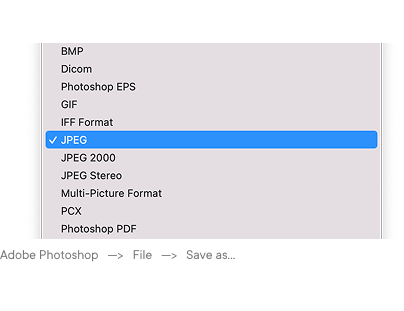
We recommend submitting files in JPEG, PNG or TIFF format to maintain quality and color accuracy.
Color Mode
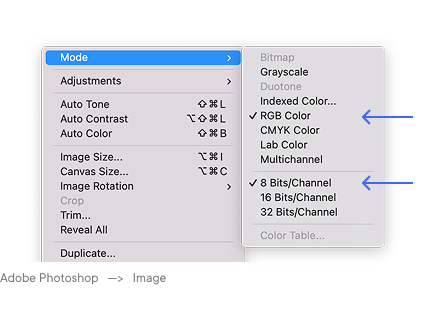
Use RGB color mode for best results, as it provides a wider color gamut and better vibrancy in digital printing. Ensure that images are 8-bit for optimal compatibility. If working in CMYK, convert to RGB before submission.
Resolution
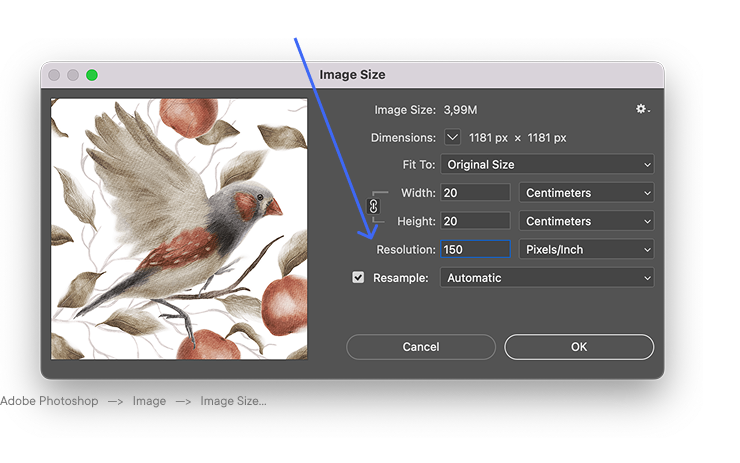
Set the file resolution to 150-300 DPI to ensure sharp and detailed prints. Lower resolutions may result in pixelation.
Seamless Patterns
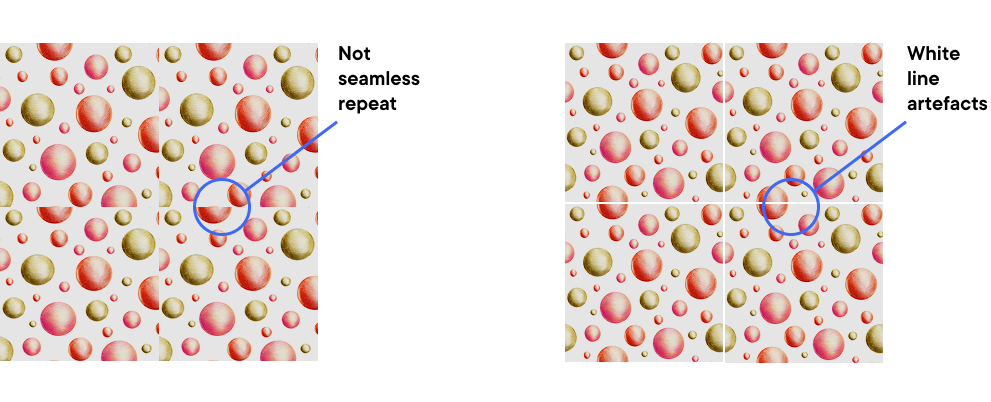
If creating a repeating pattern, ensure the design is seamless by aligning edges correctly. Test the pattern by tiling it before submission. Additionally, check for unwanted white pixels along the edges, as they can affect the final print quality.
File Size & Scale
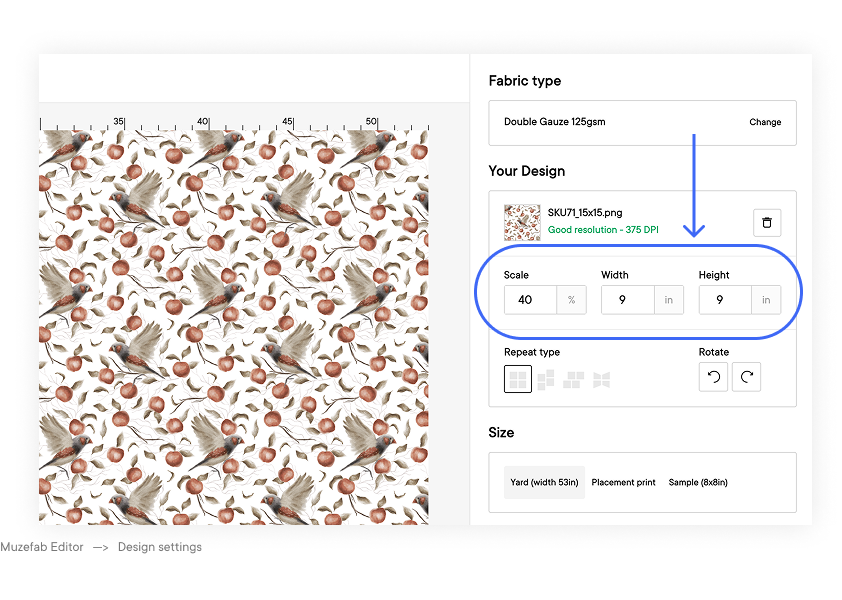
Designs should be set at the actual print size or in a proportional scale. Always verify dimensions before submission.