

Comment pouvons-nous vous aider ?
Conception
- How to prepare files for printing
- How to reduce the file size for fabric printing without losing quality?
- Why does my design look blurry in the editor?
- Puis-je télécharger des fichiers avec une résolution supérieure à 300 dpi ?
- Qu'est-ce qu'un mètre linéaire ?
- Est-ce que mon design reste confidentiel ?
- Puis-je imprimer des photos sur du tissu ?
- Que faire si je ne peux pas télécharger mon design ?
- Color profiles
- How to order a personalized textile product with my design?
- Are there any minimum order requirements for personalized textile products?
Mes commandes
Paiement et livraison
How to reduce the file size for fabric printing without losing quality?
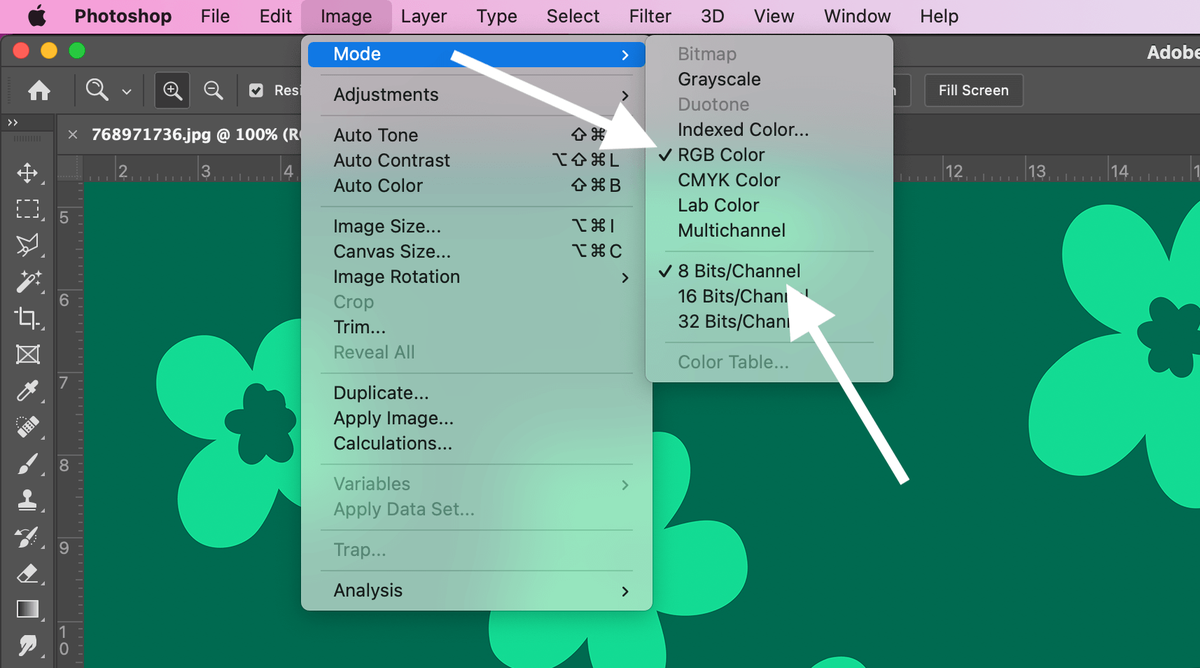
Checking the color mode of the design
In Photoshop, select: Image -> Mode -> RGB Color and 8 Bits/Channel
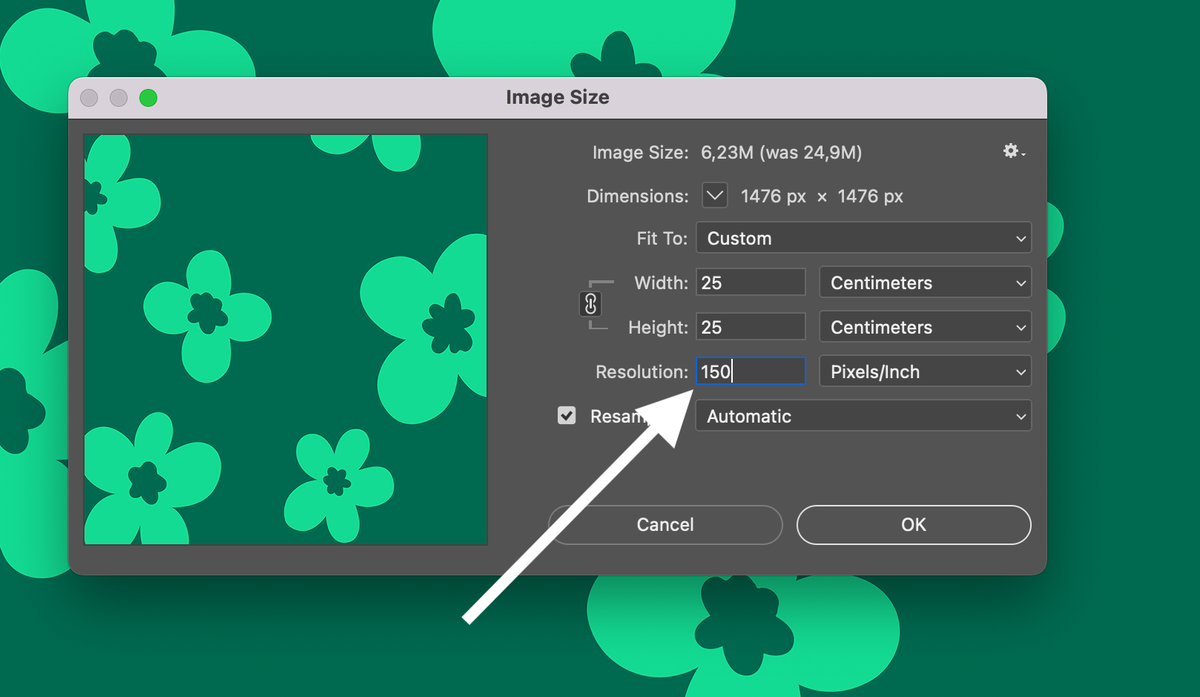
Choose resolution
In Photoshop, select: Image -> Image Size -> 150 DPI (Pixels/Inch)
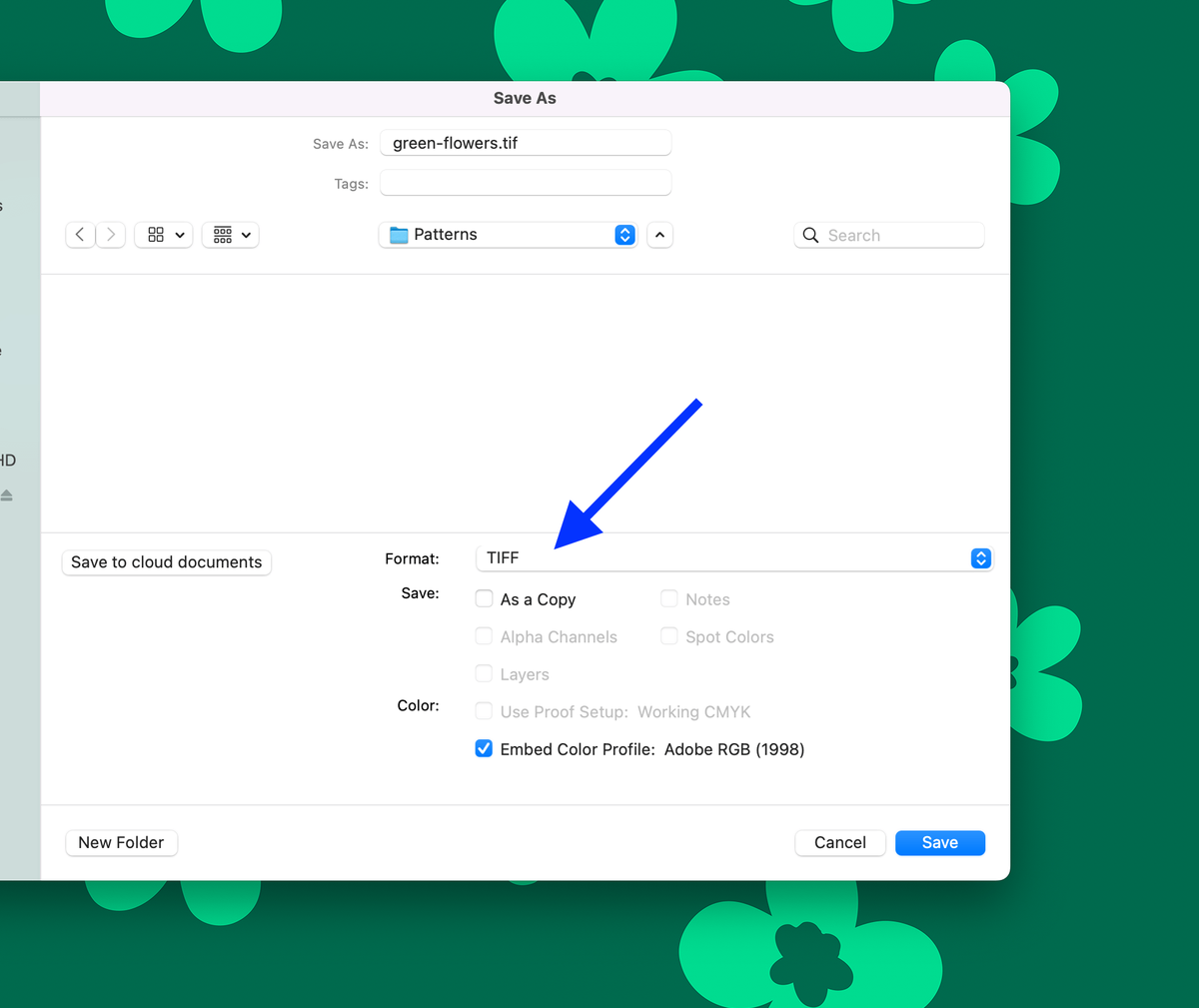
Save file
In Photoshop, select: File -> Save As -> TIFF -> Save
Select Image Compression
After saving the TIFF file, you will be able to select compression. Please select LZW.
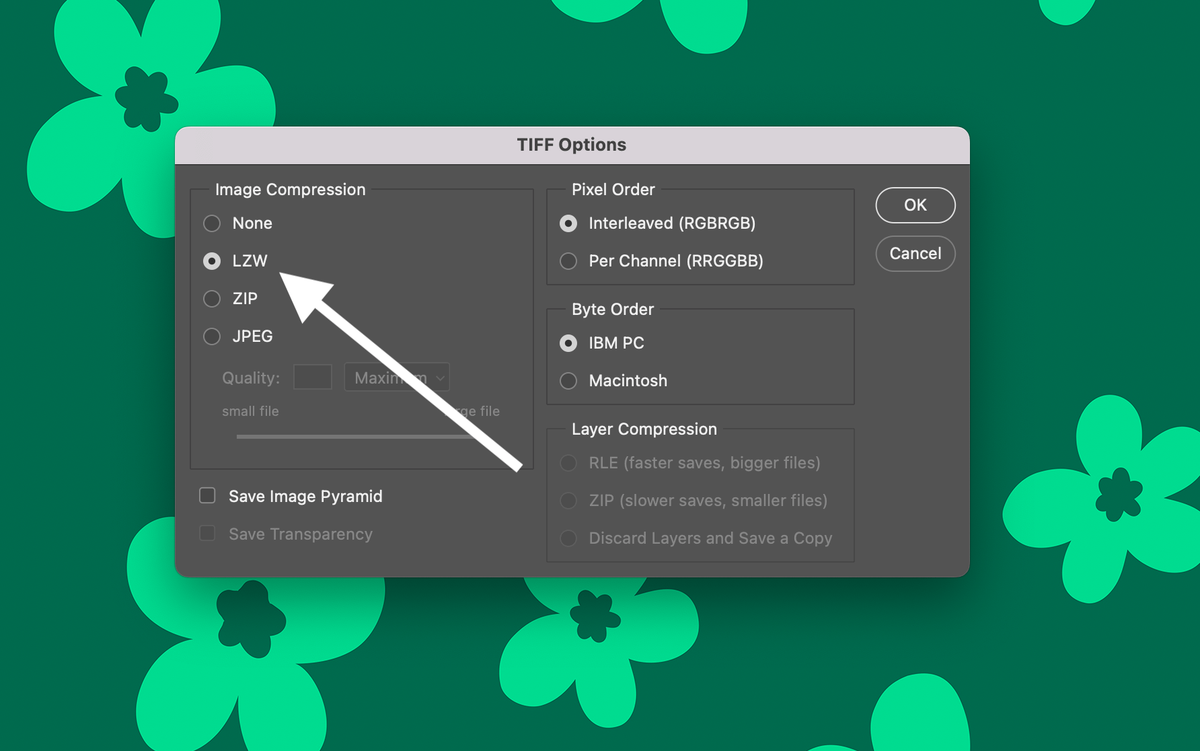
Done! Your file has good quality and a small file size.