

Wie können wir Ihnen helfen?
Gestaltung
- How to prepare files for printing
- How to reduce the file size for fabric printing without losing quality?
- Why does my design look blurry in the editor?
- Kann ich Dateien mit einer Auflösung von mehr als 300 dpi hochladen?
- Was ist ein laufender Meter?
- Bleibt mein Design privat?
- Kann ich Fotos auf Stoff drucken lassen?
- Was ist, wenn ich mein Design nicht hochladen kann?
- Color profiles
- How to order a personalized textile product with my design?
- Are there any minimum order requirements for personalized textile products?
Meine Bestellungen
Zahlung und Lieferung
How to reduce the file size for fabric printing without losing quality?
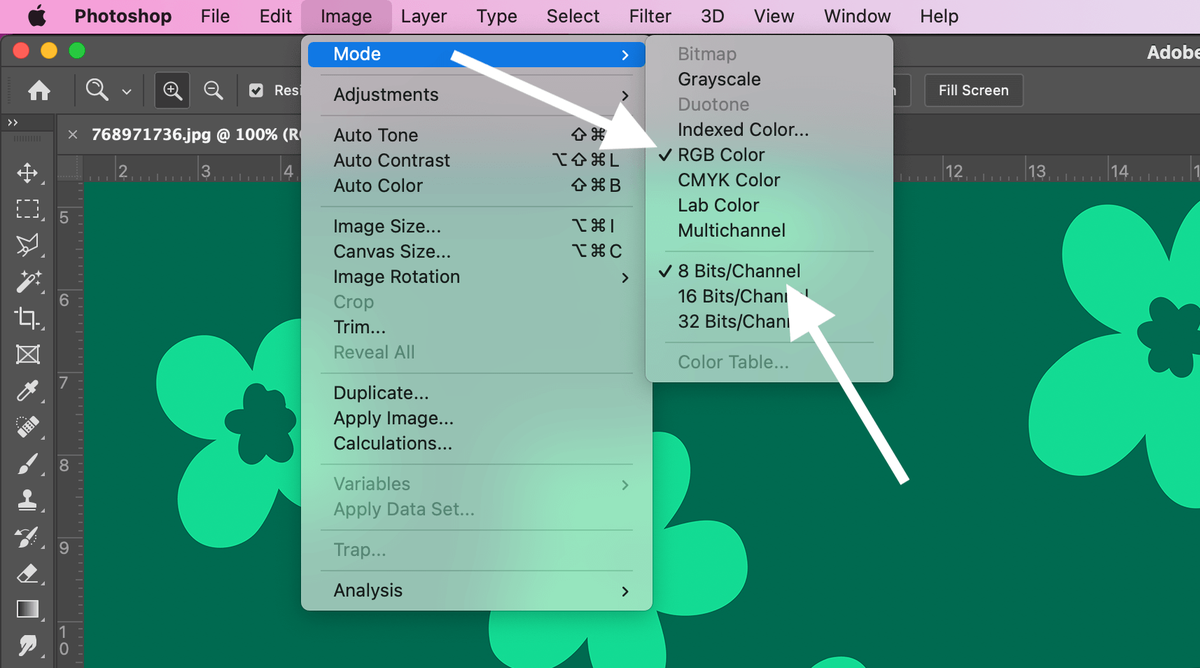
Checking the color mode of the design
In Photoshop, select: Image -> Mode -> RGB Color and 8 Bits/Channel
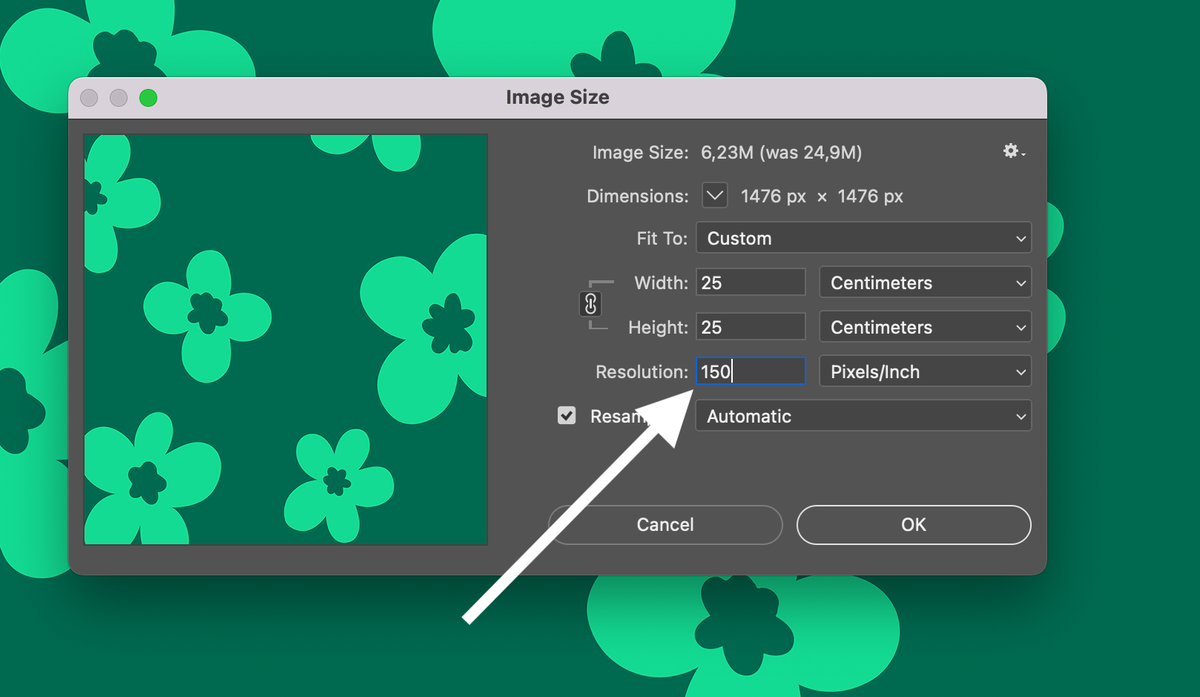
Choose resolution
In Photoshop, select: Image -> Image Size -> 150 DPI (Pixels/Inch)
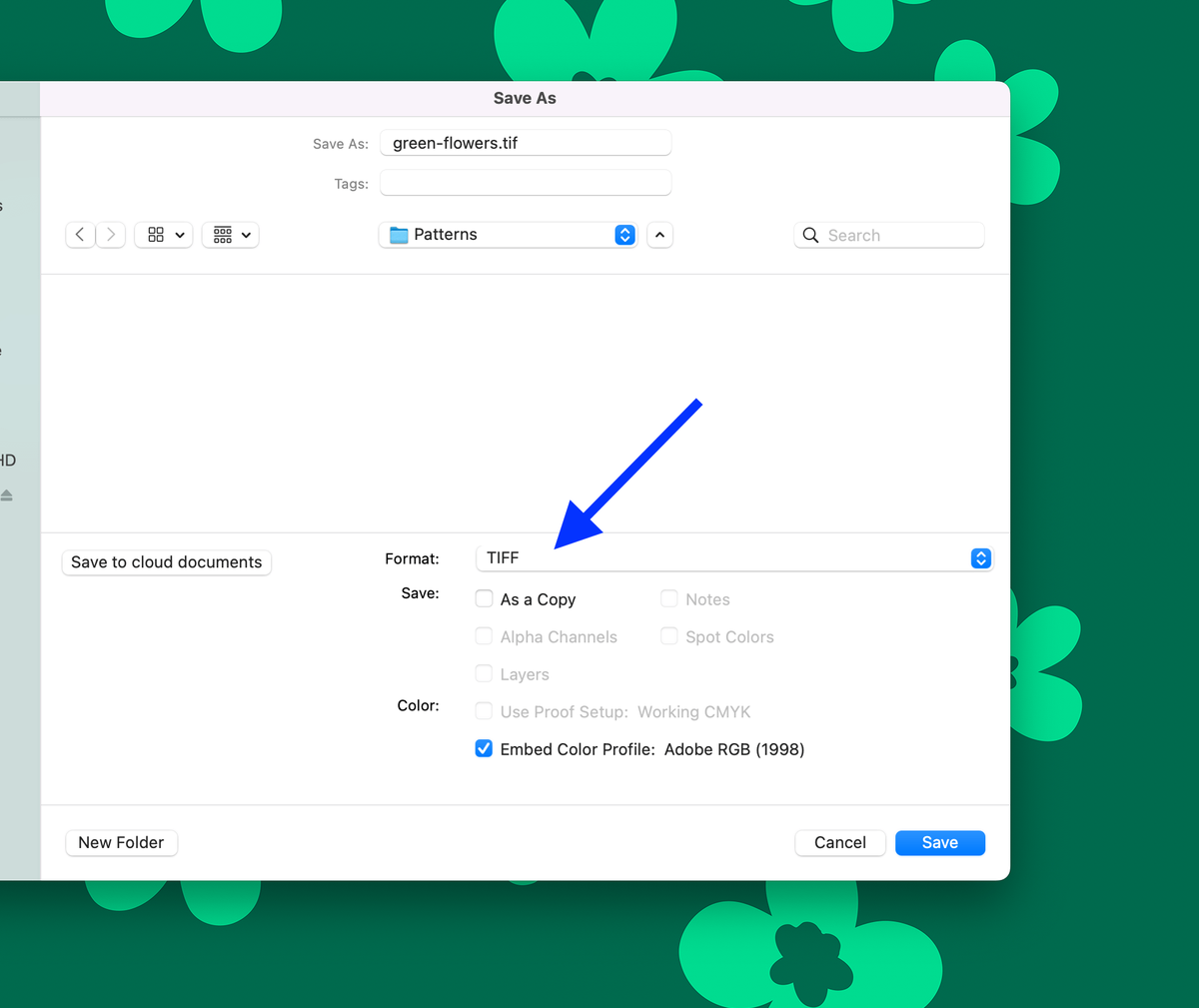
Save file
In Photoshop, select: File -> Save As -> TIFF -> Save
Select Image Compression
After saving the TIFF file, you will be able to select compression. Please select LZW.
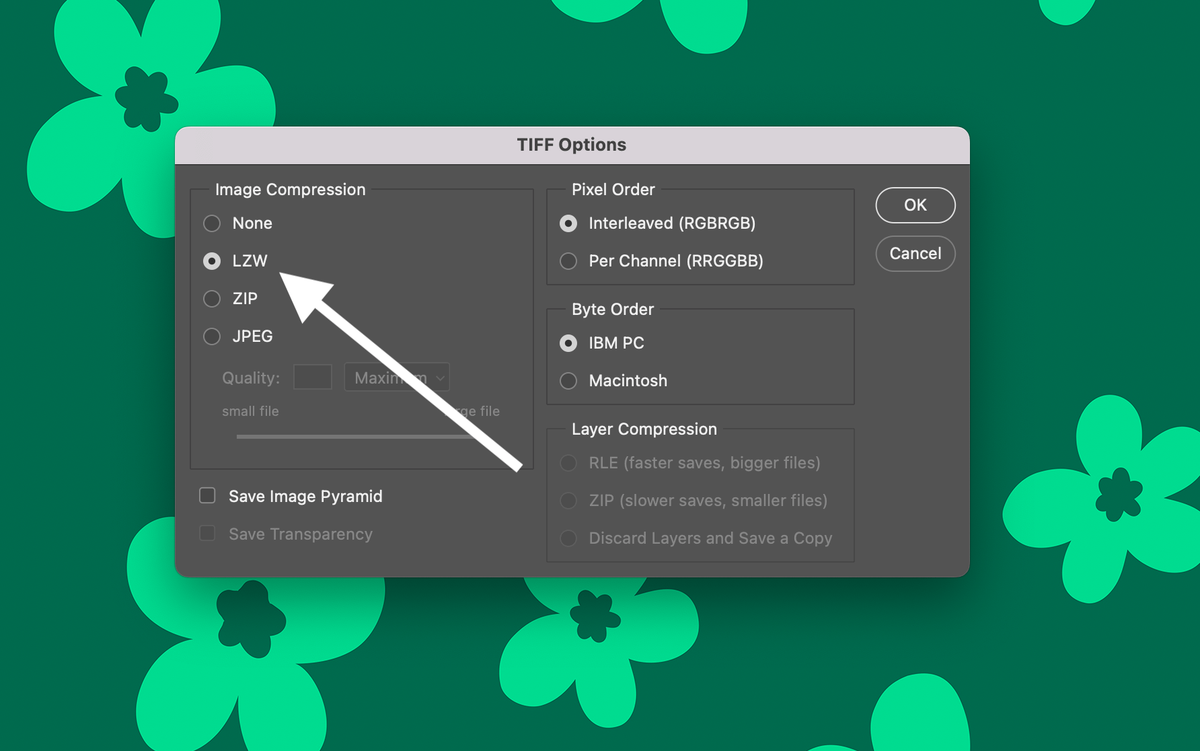
Done! Your file has good quality and a small file size.