

Kā mēs varam jums palīdzēt?
Dizains
- Kā sagatavot failus drukai
- Kā samazināt faila izmēru auduma drukai, nezaudējot kvalitāti?
- Kāpēc mans dizains redaktorā izskatās izplūdis?
- Vai varu augšupielādēt failus ar izšķirtspēju virs 300 dpi?
- Kas ir tekošais metrs?
- Vai mans dizains paliek privāts?
- Vai varu drukāt fotogrāfijas uz auduma?
- Ko darīt, ja nevaru augšupielādēt savu dizainu?
- Kādu krāsu profilu izmantot auduma drukai?
- Kā pasūtīt personalizētu tekstila izstrādājumu ar savu dizainu?
- Vai personalizētiem tekstila izstrādājumiem ir minimālā pasūtījuma prasības?
Ražošana
- Vai jūsu druka ir videi draudzīga?
- Ar kādu tehniku un iekārtām jūs drukājat?
- Kādas drukas metodes ir pieejamas individuāliem tekstila izstrādājumiem?
- Kas ir pirmapstrāde auduma drukā un kāpēc tā nepieciešama?
- Kāda ir atšķirība starp DTF druku un sublimāciju?
- Kas ir OEKO-TEX sertifikācija un kāpēc tā ir svarīga?
- Vai varat drukāt uz tumšas krāsas audumiem?
- Kā kopt individuāli apdrukātu audumu un DTF apģērbus
- Kā panākt precīzas krāsas individuālā auduma drukā
- Kas ir digitālā pigmenta druka uz auduma un kā tā atšķiras no sublimācijas?
Vairumtirdzniecība un B2B
- Vai vairumtirdzniecības auduma drukai ir minimālais pasūtījuma apjoms?
- Kā veikt lielapjoma auduma drukas pasūtījumu?
- Vai Muzefab piedāvā white-label izpildi un dropshipping?
- Vai varu saņemt PVN rēķinu sava uzņēmuma pasūtījumam?
- Kā Muzefab darbojas cut and sew ražošana?
- Kā saņemt individuālu piedāvājumu lielam vai sarežģītam pasūtījumam?
Mani pasūtījumi
Kā samazināt faila izmēru auduma drukai, nezaudējot kvalitāti?
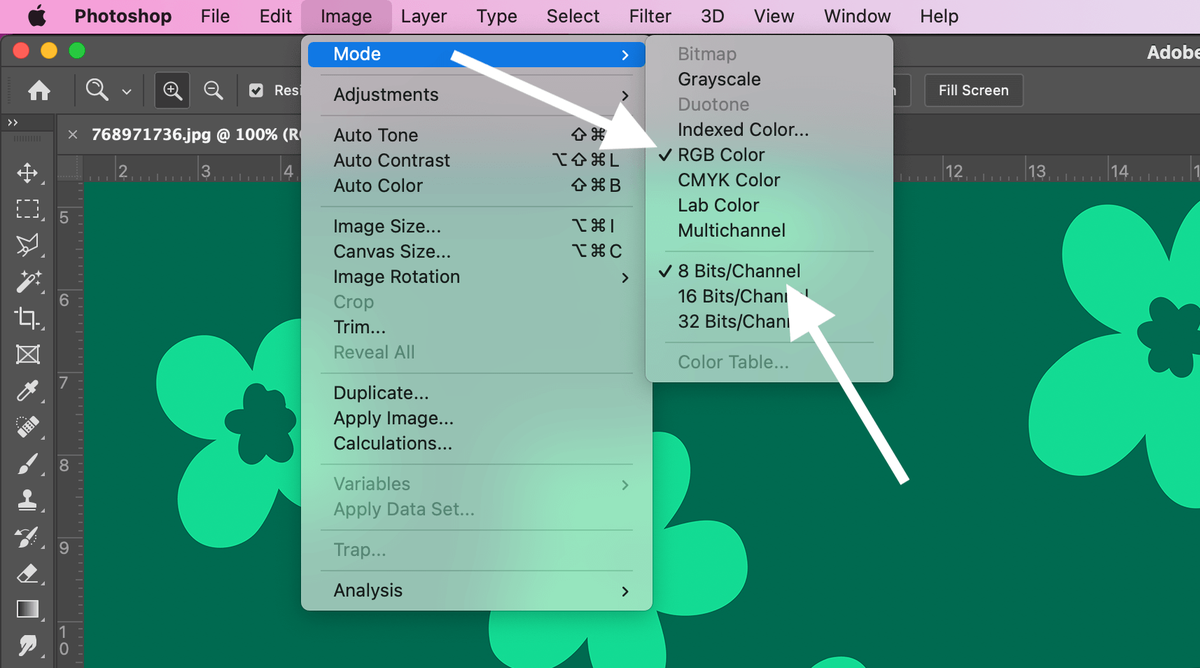
Pārbaudiet dizaina krāsu režīmu
Photoshop izvēlieties: Image -> Mode -> RGB Color un 8 Bits/Channel
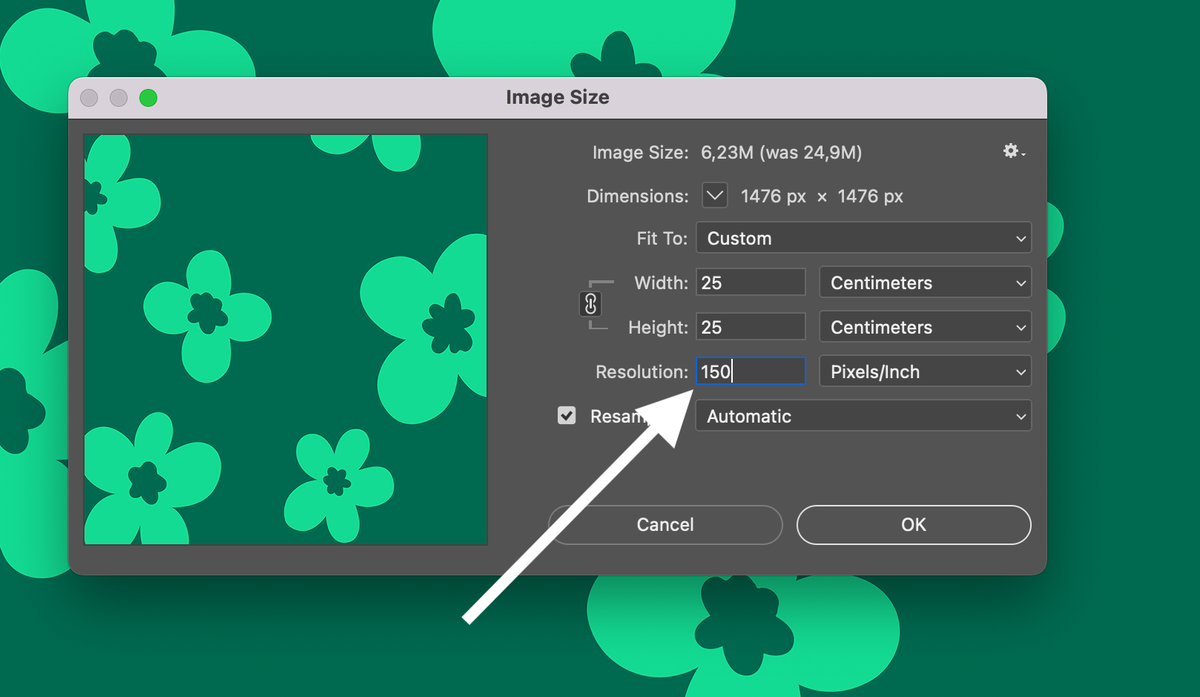
Izvēlieties izšķirtspēju
Photoshop izvēlieties: Image -> Image Size -> 150 DPI (Pixels/Inch)
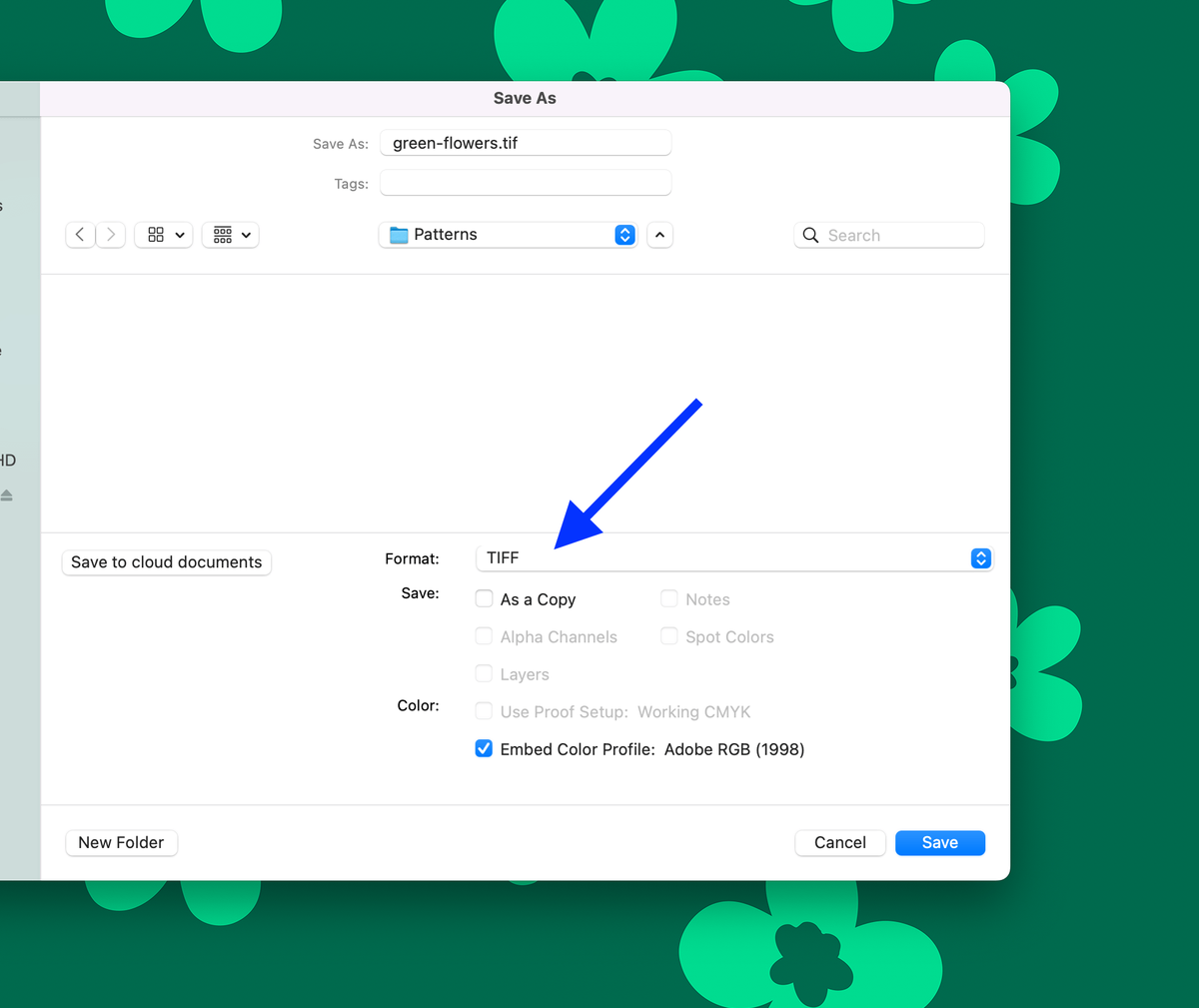
Saglabājiet failu
Photoshop izvēlieties: File -> Save As -> TIFF -> Save
Izvēlieties attēla saspiešanu
Pēc TIFF faila saglabāšanas varēsiet izvēlēties saspiešanu. Lūdzu, izvēlieties LZW.
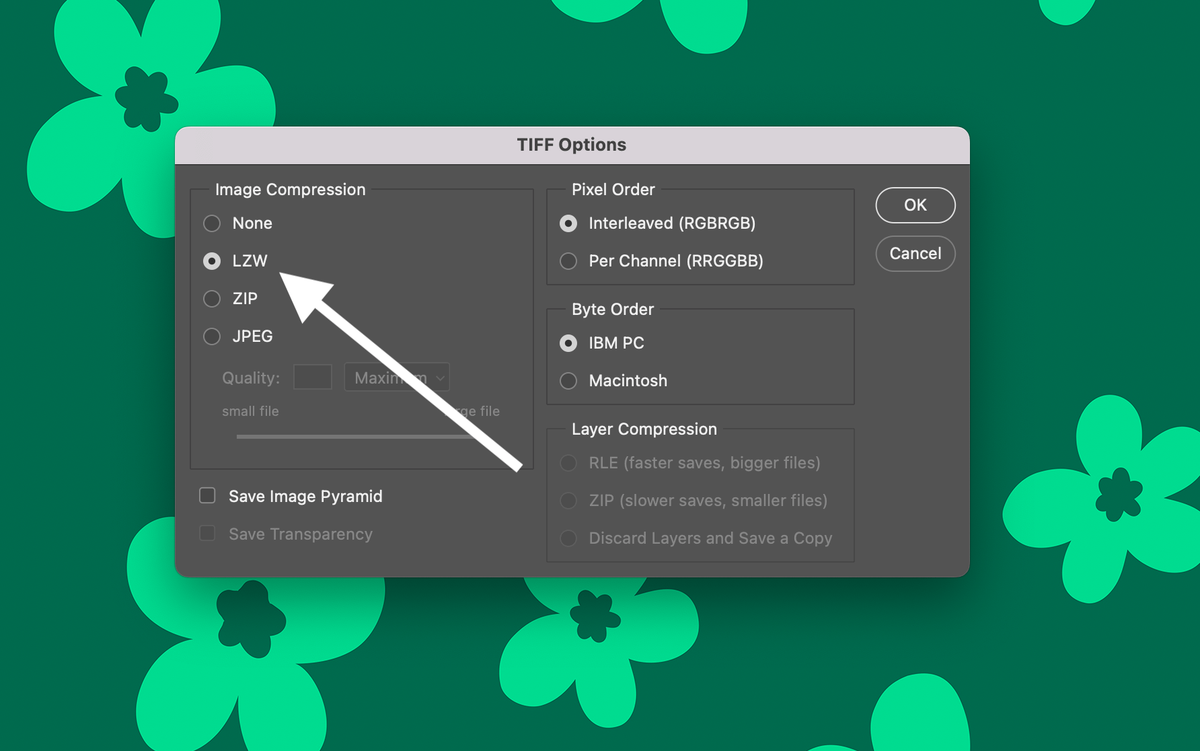
Gatavs! Jūsu failam ir laba kvalitāte un mazs izmērs.